Get a free key
One free key for all Scooby Free versions. Get a new key every 24 hours and enter it in the loader.
Get a free key
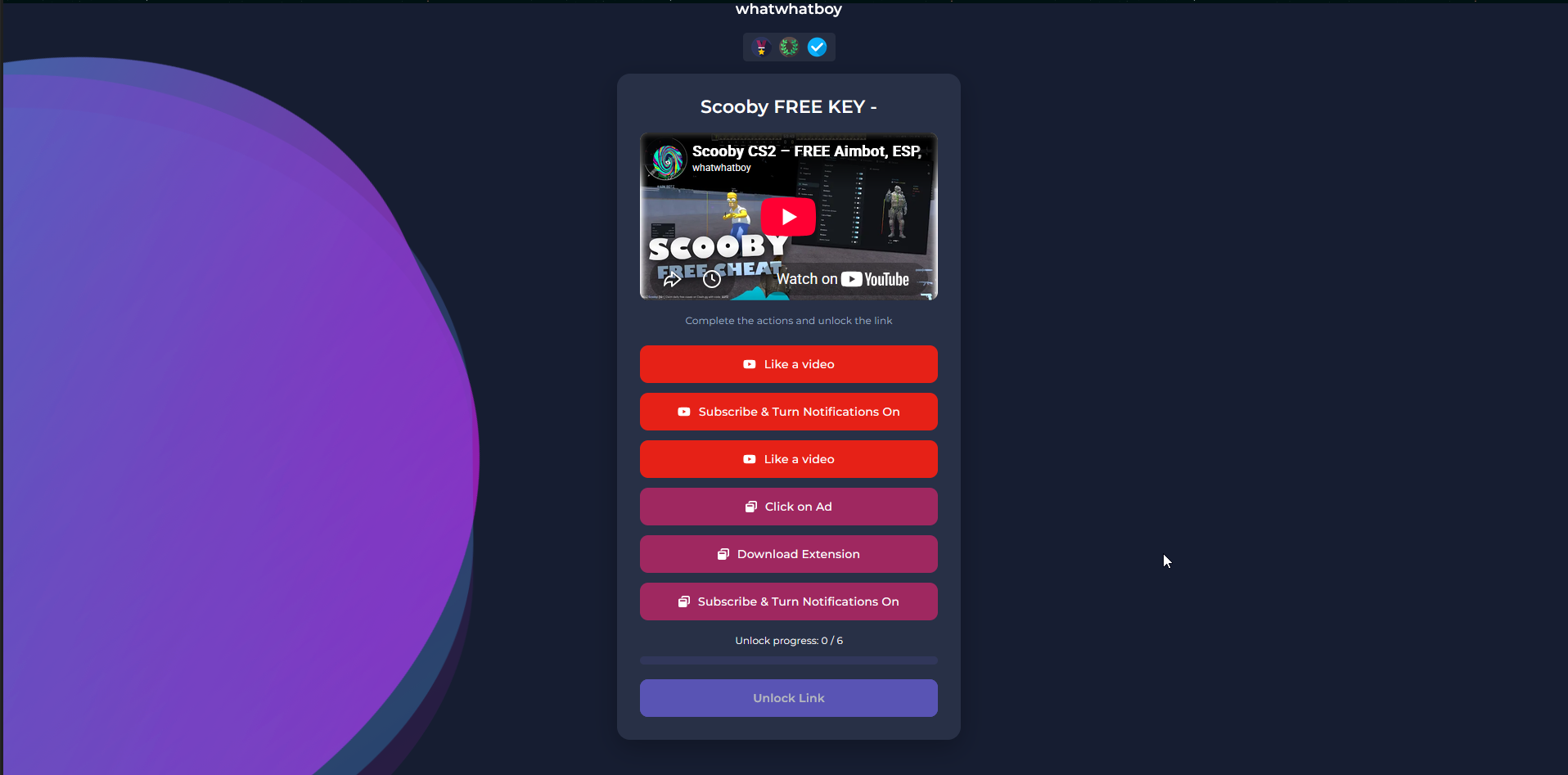
1. Complete the access steps
- Choose Get a free key.
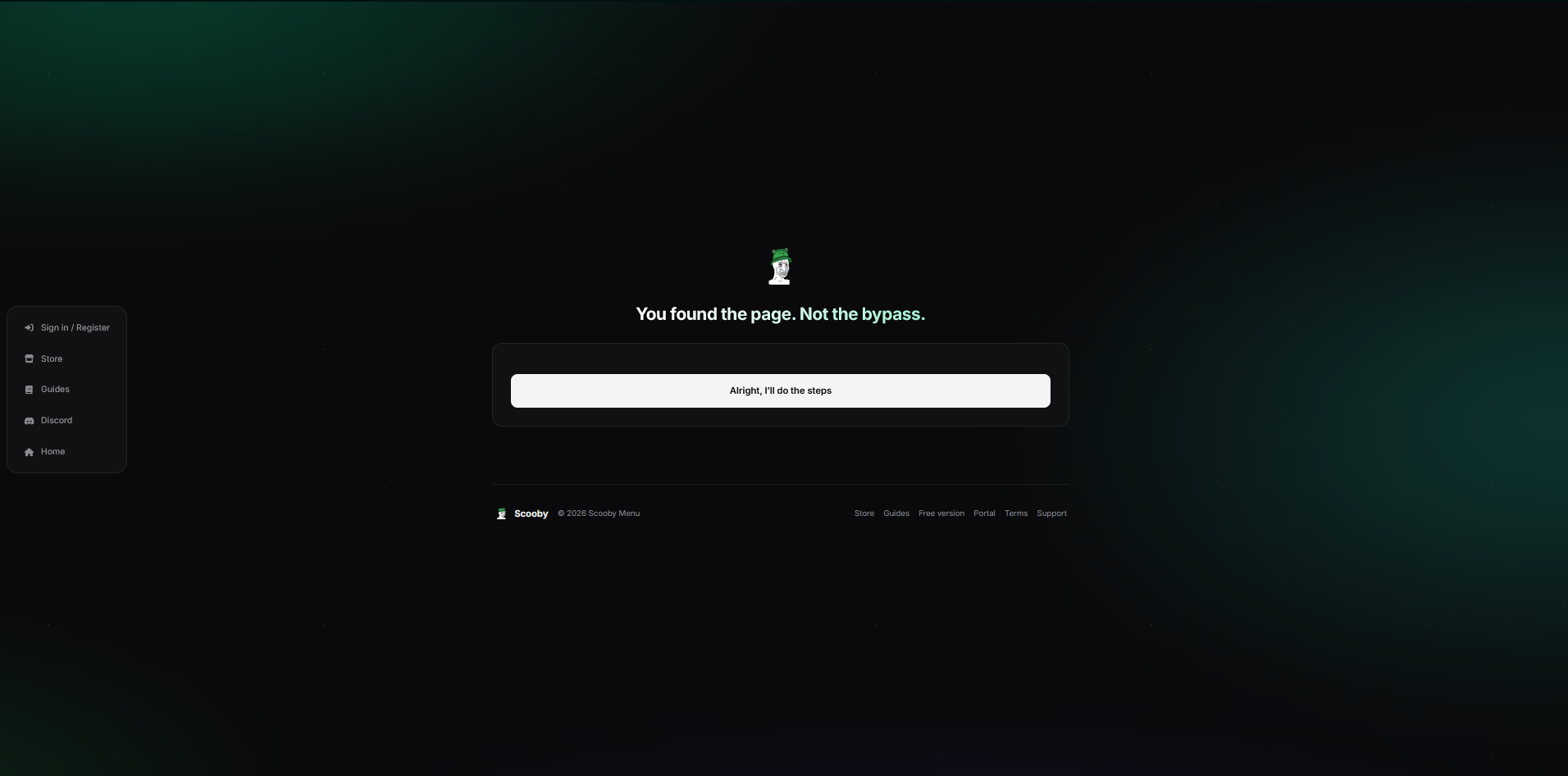
- Complete each action shown on that page, then return to check its Unlock progress. Actions may change; follow the current page.
- When all required actions are complete, choose Unlock Link. You will be taken to the Scooby key page.
 Enlarge screenshot ↗
 Enlarge screenshot ↗
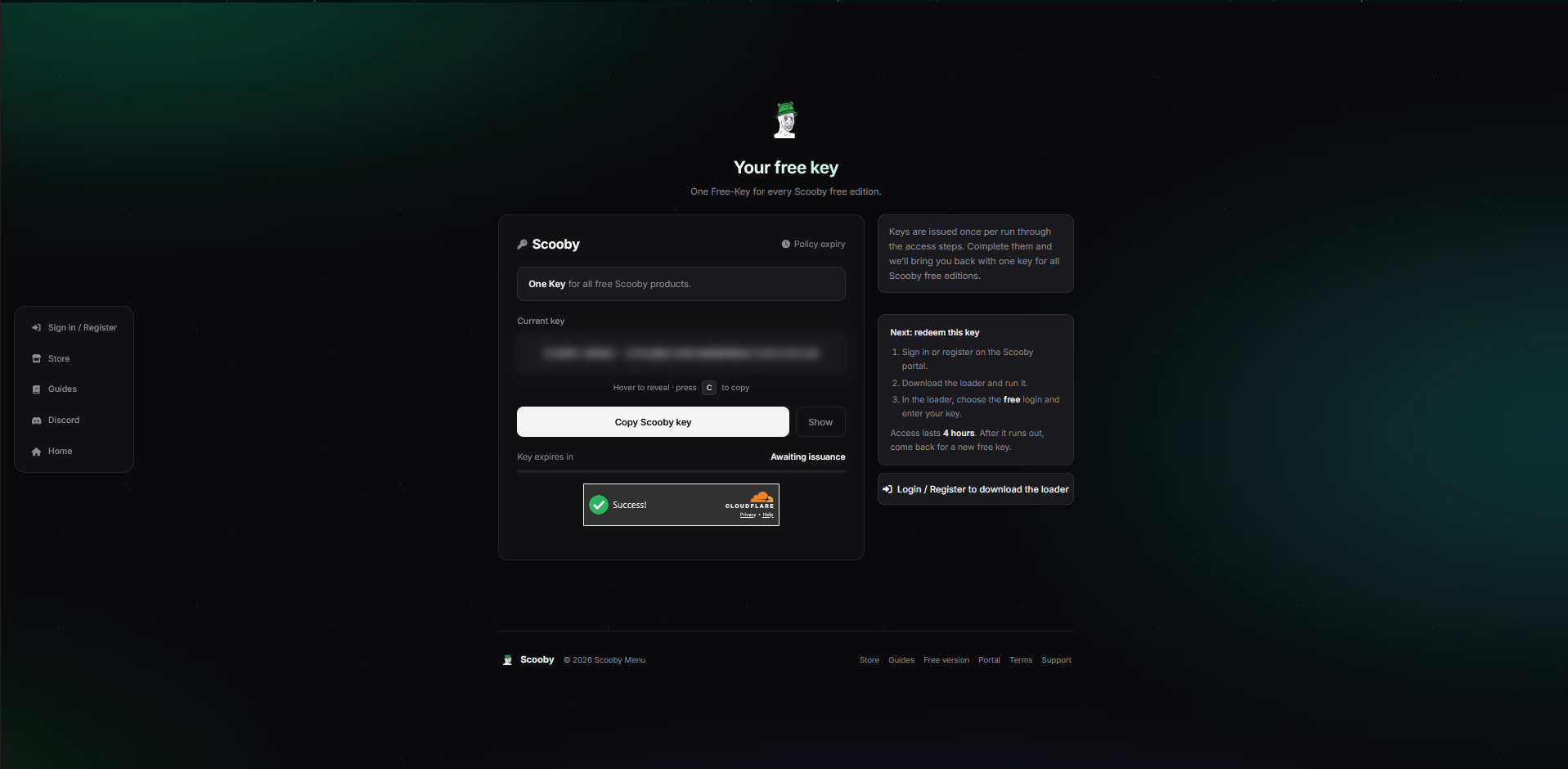
2. Copy your free key
- On the Your free key page, wait for a key to be issued and any required verification to finish.
- Choose Copy Scooby key. Keep the copied key private.
- Free keys reset every 24 hours. Return through the access steps and copy a new free key every 24 hours. The same key supports all Scooby Free versions.
 Enlarge screenshot ↗
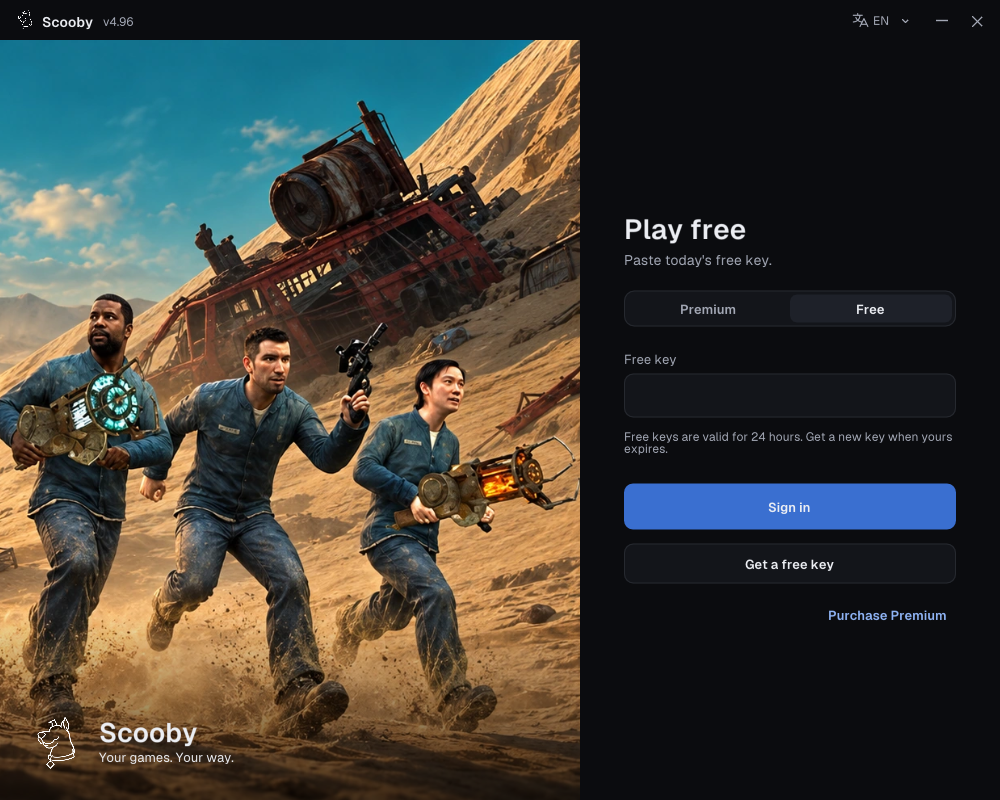
3. Sign in using the loader’s Free tab
- Complete the free-key access steps and copy your key.
- In the loader, choose Free and paste it into Free key.
- Choose Sign in.
Free keys work only in the loader’s Free login. They cannot sign in to the portal/dashboard or be redeemed there as a Premium license.
One free key supports all Scooby Free versions. Free keys reset every 24 hours, so you need to get a new free key every 24 hours. Complete the access steps again, copy the new key and use it in the loader’s Free tab. You do not need a separate key for each game.
 Enlarge screenshot ↗
Download the loader from the Scooby portal using your normal website account if asked. Your website account and your loader free key are different login methods; the free key does not sign you in to the website.
Once signed in, choose your game’s loading guide and follow the screenshots.
Website or loader won’t connect?
If you see “This site can’t be reached”, “Server not found” or a connection timeout, or the loader cannot connect, your ISP or country may be blocking the connection. DNS problems or a temporary service outage can also cause these errors.
- Check the address and try refreshing the page.
- Try a different connection, such as your phone’s hotspot.
- If it still will not open, try a VPN or trusted proxy, then reopen the original free-key link or restart the loader and retry.
Free connection options:
- Cloudflare 1.1.1.1 with WARP — free app. Enable WARP in the app, then retry the website or loader.
- Proton VPN — free plan available. Connect using the free plan, then retry the website or loader.
A VPN can help with network restrictions, but it will not fix every website or loader connection error. You still need to complete the free-key access steps. For more checks, see Connection & SSL errors.
Having trouble on the key page?
- Try an up-to-date Edge, Chrome or Firefox browser if the page does not complete.
- Close advert pop-ups. The key is text, never an executable or a separate installer.
- Get the loader from Scooby’s main website, not from an advert on the key page.
- Paste the full key without extra spaces. If it has expired, generate a new one.
- Keep your key private. Support does not need your password or key to read an error message.
Check the free version’s limits
For GTA Online, the free version supports invite-only / solo play or compatible sessions with other modders. It does not support normal public lobbies; joining one can crash the game.
Read GTA 5 Free Version Setup for the current game-edition and online-access instructions. If old settings cause a crash after an update, follow the settings-backup steps instead of deleting your files immediately.