Resetting Your HWID
General help · Scooby Wiki
Resetting Your HWID
If you have changed hardware or are getting an HWID mismatch, reset it from the portal:
- Go to scoobymenu.cc/portal and log in
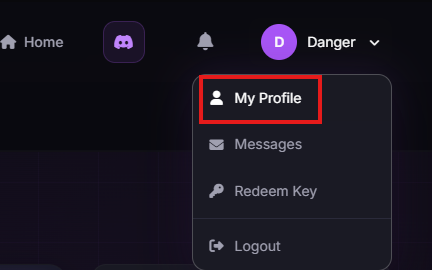
- Open the dropdown menu in the top right
- Click "My Profile"
- Scroll down to Hardware ID
- Click "Reset HWID"
On cooldown?
If you are on cooldown then you need to wait - the reset cannot be forced through early.