How to load Scooby
Sign in, choose your game, and follow the outlined screenshots through to completion.
Loading guides for every game
Open the current Scooby loader, sign in, then select your game. The steps differ between games: use the matching guide below.
New to the loader? Premium sign-in · Redeem a license · Free-key sign-in · Loader troubleshooting
GTA 5
Premium and Free login, editions and loading steps. Separate Plus setup available.
Red Dead Redemption 2
Loading order, an outlined loader screenshot and what to check if it fails.
FiveM
Loading order, an outlined loader screenshot and what to check if it fails.
RedM
Loading order, an outlined loader screenshot and what to check if it fails.
Counter-Strike 2
Loading order, an outlined loader screenshot and what to check if it fails.
Left 4 Dead 1 & 2
Loading order, an outlined loader screenshot and what to check if it fails.
Garry’s Mod
Loading order, an outlined loader screenshot and what to check if it fails.
Half-Life 1
Loading order, an outlined loader screenshot and what to check if it fails.
Megabonk
More Games → Megabonk, loading and menu controls.
MTA:SA
Check the current Testing / Paused loader status.
S&box
Loading order, an outlined loader screenshot and what to check if it fails.
TF2 & TF2 Classified
Loading order, an outlined loader screenshot and what to check if it fails.
The Last of Us
Loading order, an outlined loader screenshot and what to check if it fails.
For the wider collection, browse Source Games. Each screenshot is an interface reference; current access and availability come from your own loader.
Sign in & activate your access
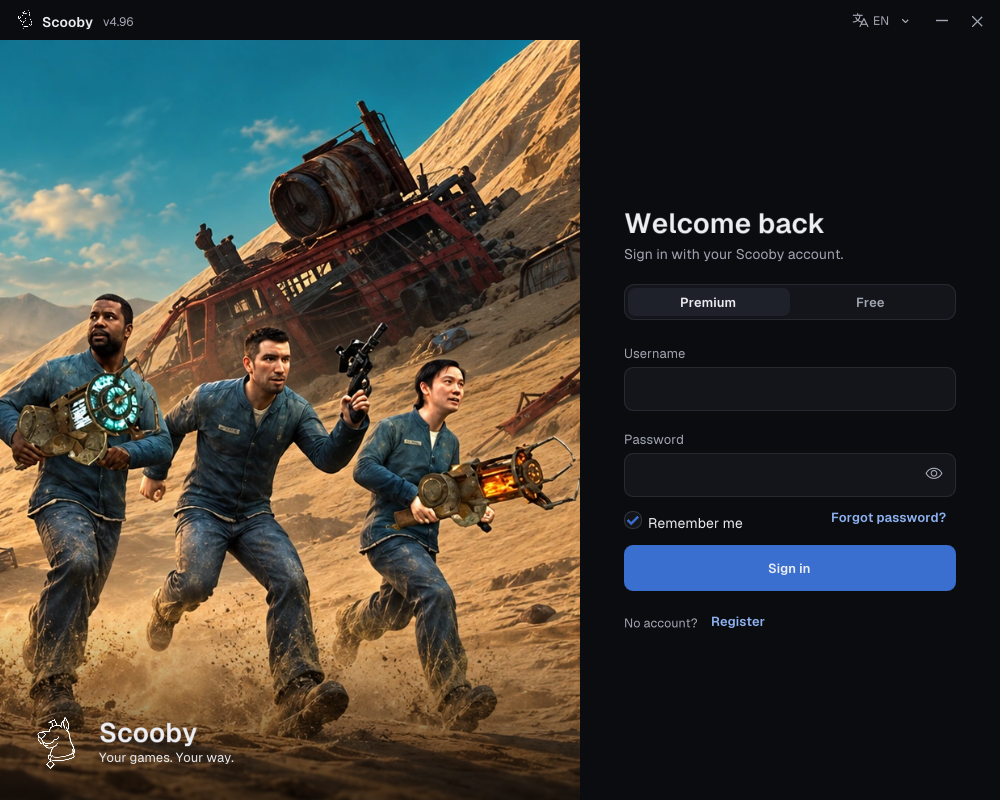
Premium: use the account you created
- Choose Premium.
- Enter the username and password of the Scooby account you created.
- Choose Sign in. A purchased license key is redeemed on the portal; it is not your loader password.
New purchase? Redeem your Premium license key first →
 Enlarge screenshot ↗
No account yet? Use Register on the loader or create an account on the portal. Sign in to that same account when redeeming your license.
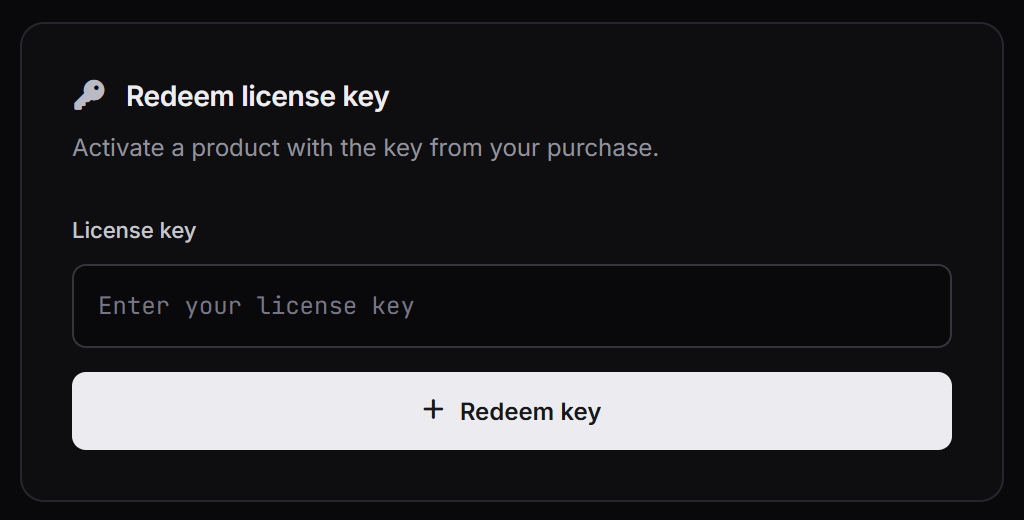
Redeem a Premium license key
- Open scoobymenu.cc/portal and sign in to the account you want to use in the loader.
- On Dashboard, find Redeem license key.
- Paste your purchased license key into the field and choose Redeem key once.
- Wait for the success message and check that the product appears on your account. Read any expiry shown there.
- Open the loader, choose Premium, and sign in with that same account’s username and password. If you were already signed in, sign out and back in to refresh access.
 Enlarge screenshot ↗
Do not paste a free key here. Free keys are only for the loader’s Free login. A license already redeemed belongs to the account used for activation.
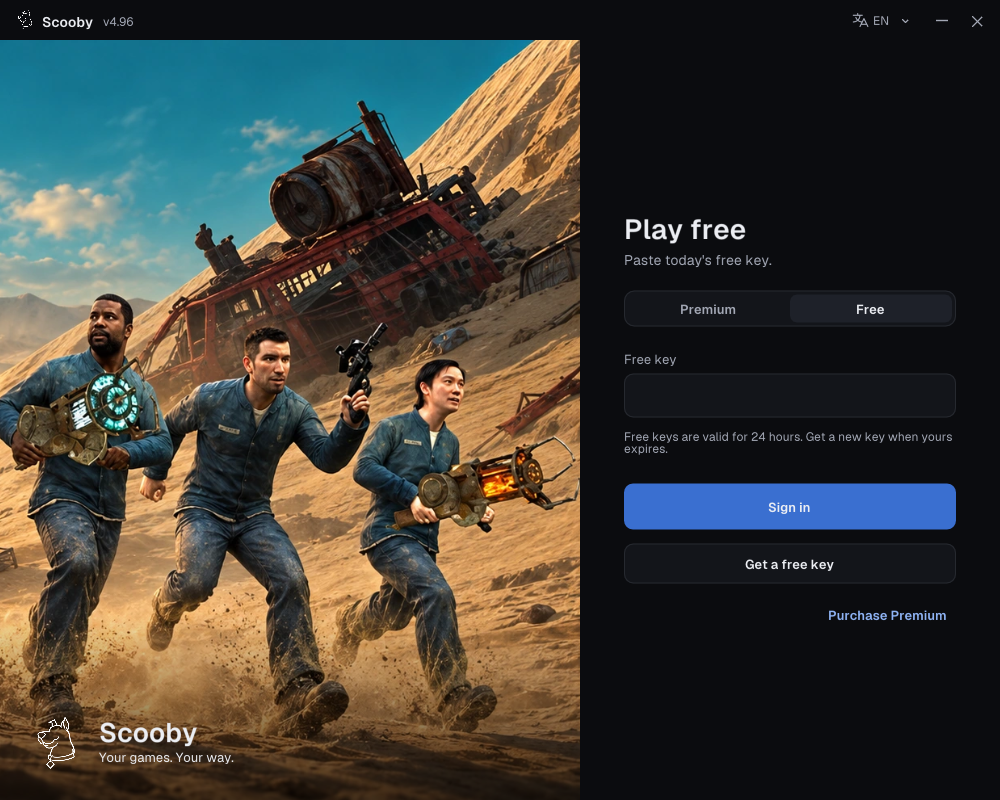
Free: use a free key in the loader
- Complete the free-key access steps and copy your key.
- In the loader, choose Free and paste it into Free key.
- Choose Sign in.
Free keys work only in the loader’s Free login. They cannot sign in to the portal/dashboard or be redeemed there as a Premium license.
One free key supports all Scooby Free versions. Free keys reset every 24 hours, so you need to get a new free key every 24 hours. Complete the access steps again, copy the new key and use it in the loader’s Free tab. You do not need a separate key for each game.
 Enlarge screenshot ↗
See the access-page, Copy Scooby key and blocked-page screenshots →