Getting started
Garry's Mod (GMOD) · Scooby Wiki
Getting started
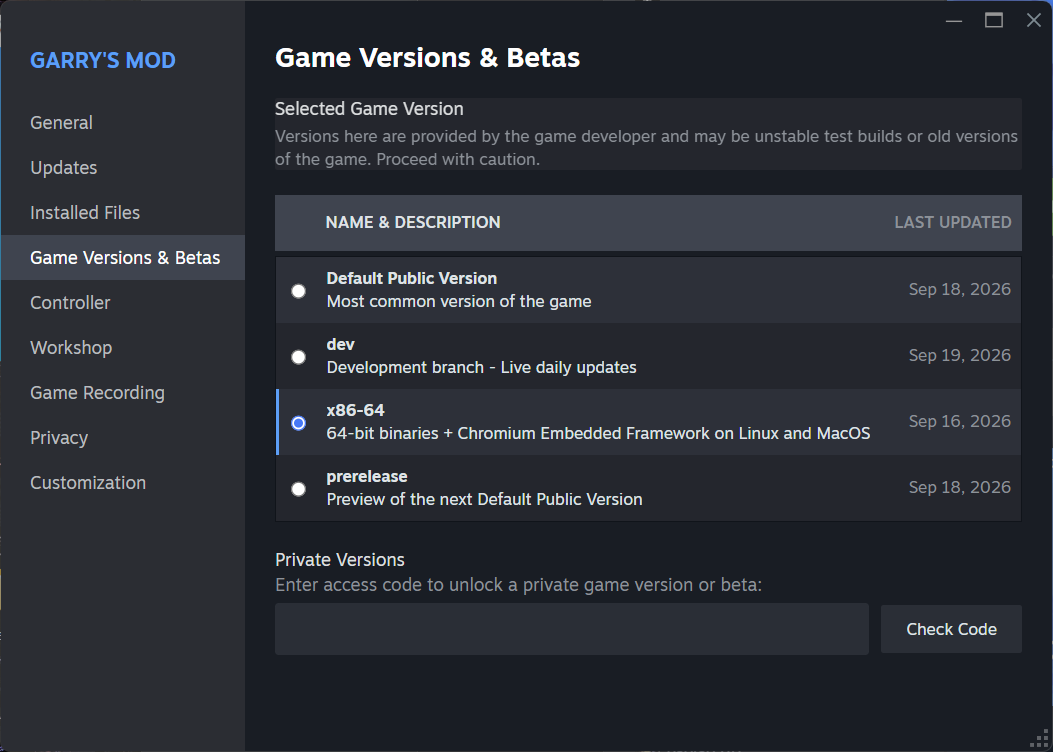
Scooby GMOD uses a free key and requires Garry's Mod on Windows with Steam's x86-64 branch selected. Load Scooby while the game is at the main menu.
- Open the GMOD product page, choose Get Free Key, and follow the key steps. See Getting a Free Key for help.
- Download Scooby.
- In your Steam Library, right-click Garry's Mod and open Properties → Game Versions & Betas. Select x86-64, then wait for Steam to finish updating the game.
- Launch Garry's Mod and wait at the main menu.
- Load Scooby from the loader while you are still at the main menu, before joining a server or loading a map.
- Once Scooby is loaded, press Insert or F2 to open the menu.