MTA:SA
Requirements
Download VC Runtimes
Install the Visual C++ runtimes before launching Scooby. Choose the all-in-one package or install both Microsoft packages below, then restart your PC.
VC Runtimes (all-in-one package):
Download the all-in-one VC runtime package
Or install both packages directly from Microsoft:
MTA:SA loading status
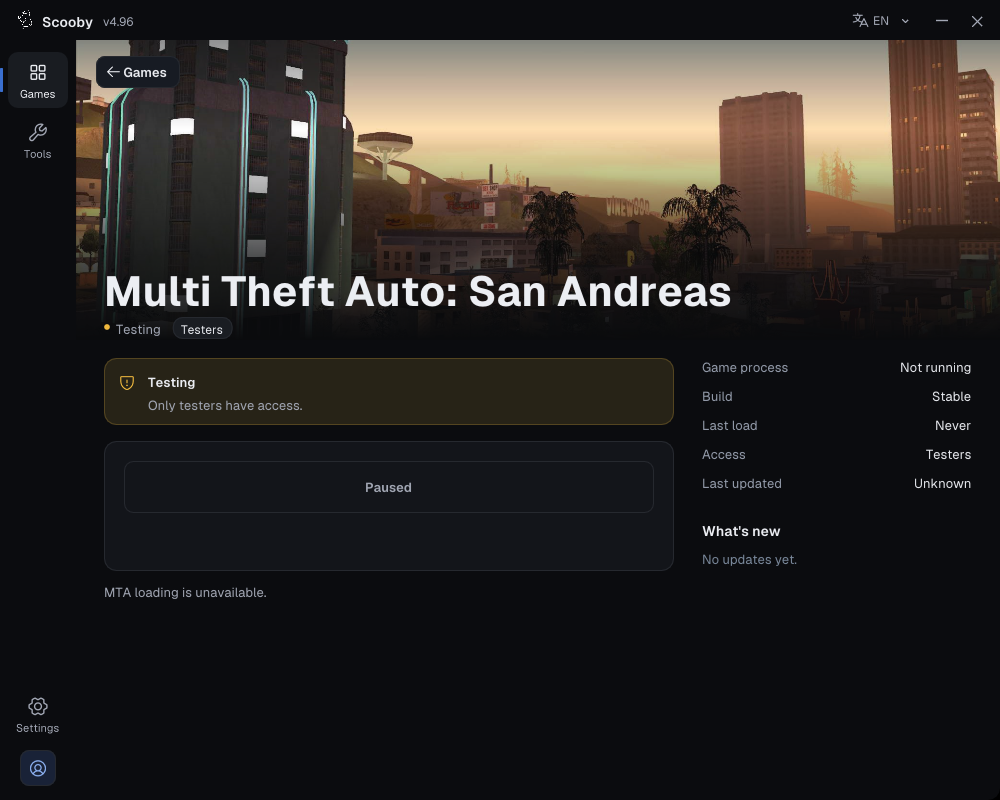
Open Games and select Multi Theft Auto: San Andreas. The current native loader shows Testing / Paused and does not offer a normal MTA loading action. Installing runtimes does not enable that button. Check the status in your current loader and wait for a supported release.
Use the screenshot below to identify the page and its status; it is not an instruction to press Paused.
Follow the loader from start to finish
Real native-loader interface captures with example states. The red outlines mark controls or status messages. Your access, edition and game status may differ. Select a picture to enlarge it.
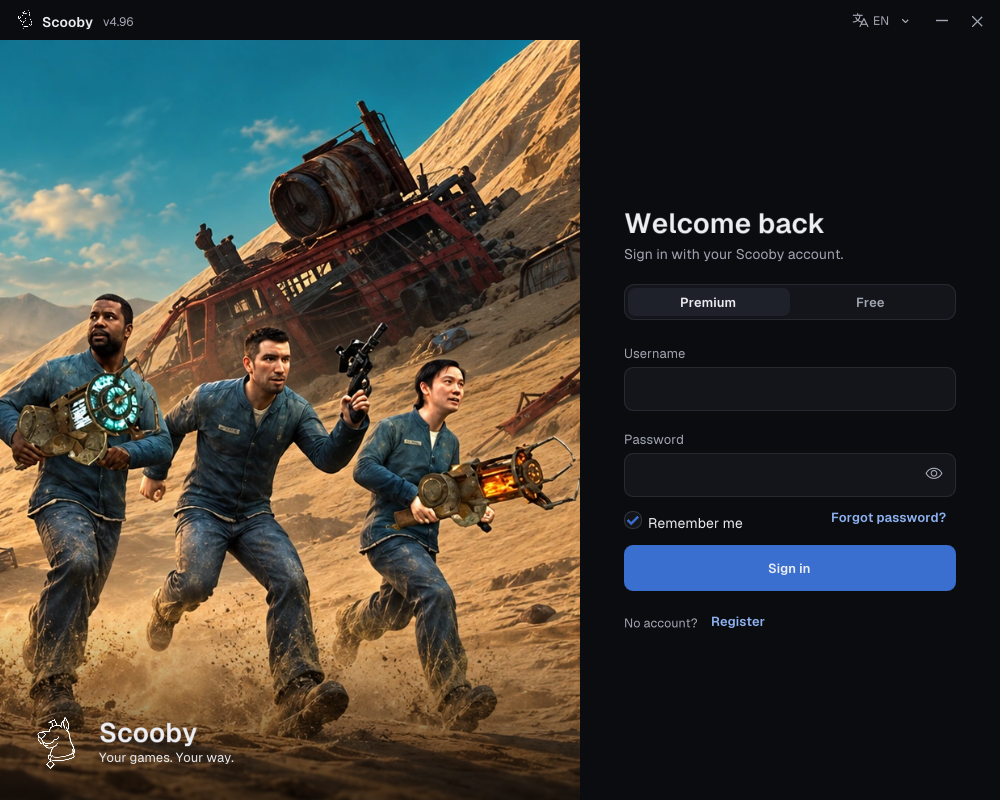
1. Sign in — choose your access type
Use one of these two login methods.
Premium — use your Scooby account
- Choose Premium.
- Enter the username and password of the Scooby account you created.
- Choose Sign in. A purchased license key is redeemed on the portal; it is not your loader password.
New purchase? Redeem your Premium license key first →
 Enlarge screenshot ↗
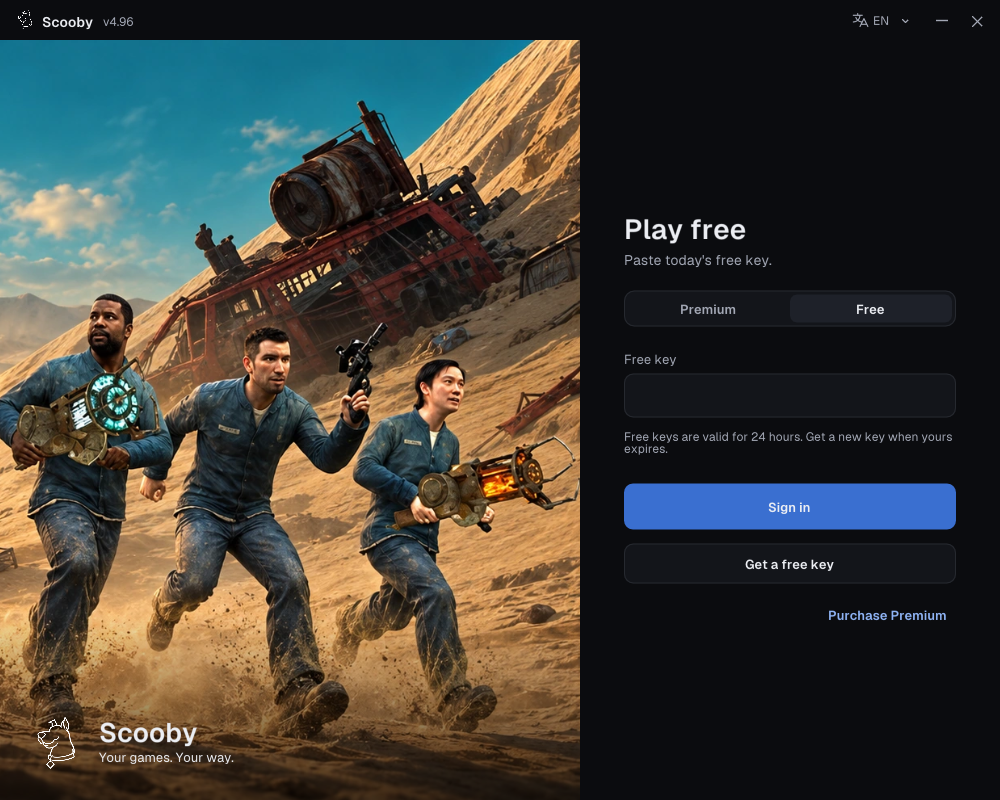
Free — paste a free key
- Complete the free-key access steps and copy your key.
- In the loader, choose Free and paste it into Free key.
- Choose Sign in.
Free keys work only in the loader’s Free login. They cannot sign in to the portal/dashboard or be redeemed there as a Premium license.
One free key supports all Scooby Free versions. Free keys reset every 24 hours, so you need to get a new free key every 24 hours. Complete the access steps again, copy the new key and use it in the loader’s Free tab. You do not need a separate key for each game.
 Enlarge screenshot ↗
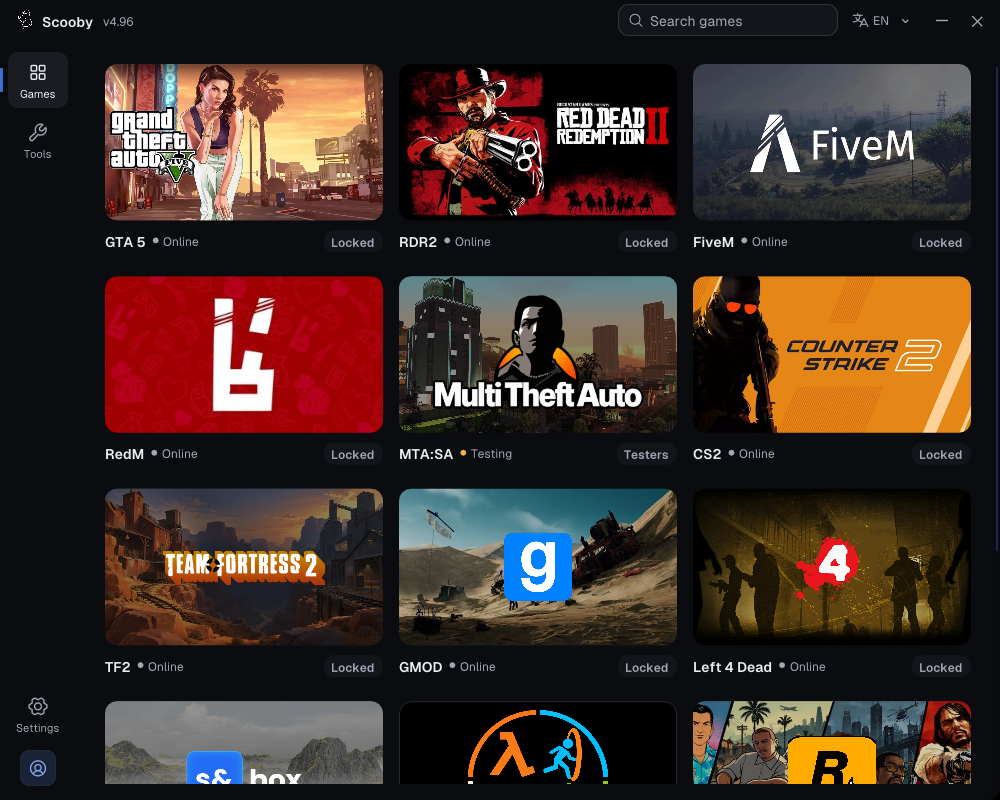
2. Choose your game
Open Games, then select MTA:SA.
 Enlarge screenshot ↗
Check that the dashboard name matches your game before continuing.
3. Check availability
This page is currently Testing / Paused. There is no normal loading action to continue with.
 Enlarge loader screenshot ↗