Scooby Wiki
Main site ↗

Crashing? Switch to DX12

Red Dead Redemption 2 · Scooby Wiki

Crashing? Switch to DX12

IF YOU ARE CRASHING THEN YOU NEED TO SWITCH FROM VULKAN TO DX12

In Red Dead Redemption 2, open Settings → Graphics and scroll down to Advanced Graphics. Change Graphics API from Vulkan to DX12, then apply the change and restart the game.
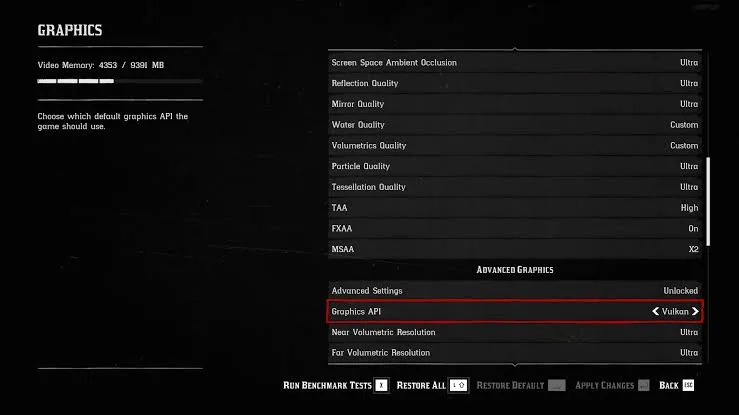
Red Dead Redemption 2 graphics settings with the Graphics API option highlighted, currently set to Vulkan

Search setup instructions, troubleshooting, and account help.

Type to search · Enter to open first result · Esc to close