How to Launch Scooby
Red Dead Redemption 2 · Scooby Wiki
How to Launch Scooby
Follow these steps in order:
- Sign into your Scooby account
- Select RDR2
- Launch Red Dead Redemption 2 and wait for it to load
- Once you are at the main menu, click "▶️ LOAD" on the Scooby loader
- Wait for the loader to report completion, then enter story mode or online
Menu doesn't appear in-game
Check your menu key and RDR2 graphics / crash help. For a connection error, use the connection checklist. Keep the exact error message when asking for help.
Follow the loader from start to finish
Real native-loader interface captures with example states. The red outlines mark controls or status messages. Your access, edition and game status may differ. Select a picture to enlarge it.
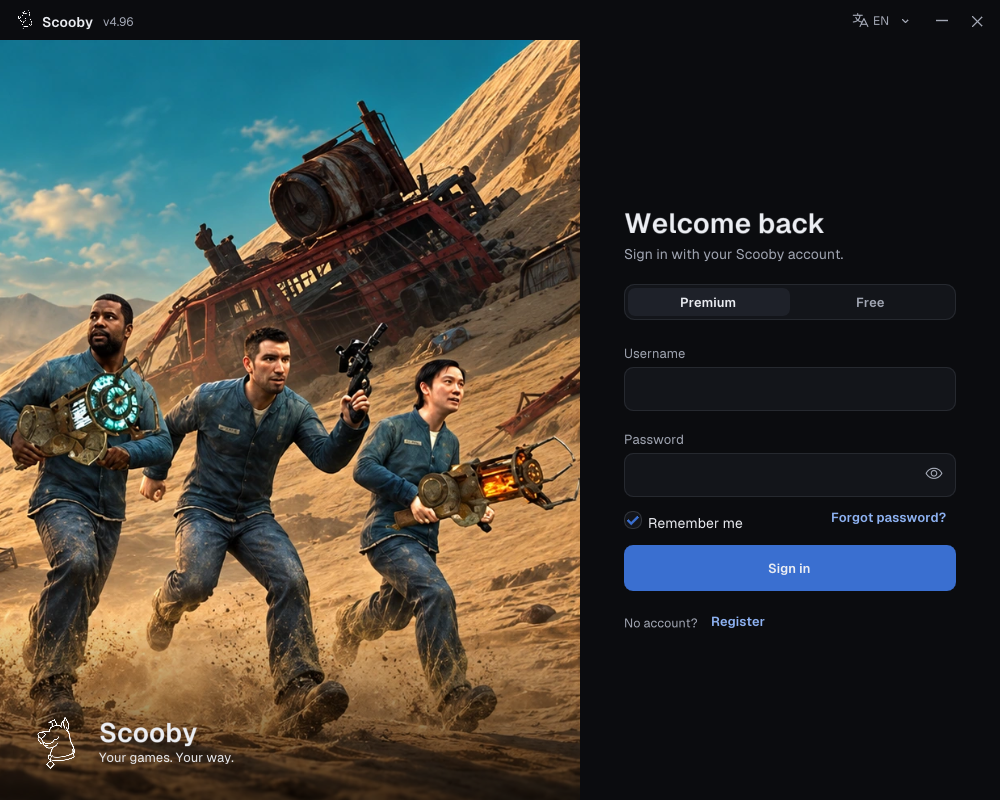
1. Sign in — choose your access type
Use one of these two login methods.
Premium — use your Scooby account
- Choose Premium.
- Enter the username and password of the Scooby account you created.
- Choose Sign in. A purchased license key is redeemed on the portal; it is not your loader password.
New purchase? Redeem your Premium license key first →
 Enlarge screenshot ↗
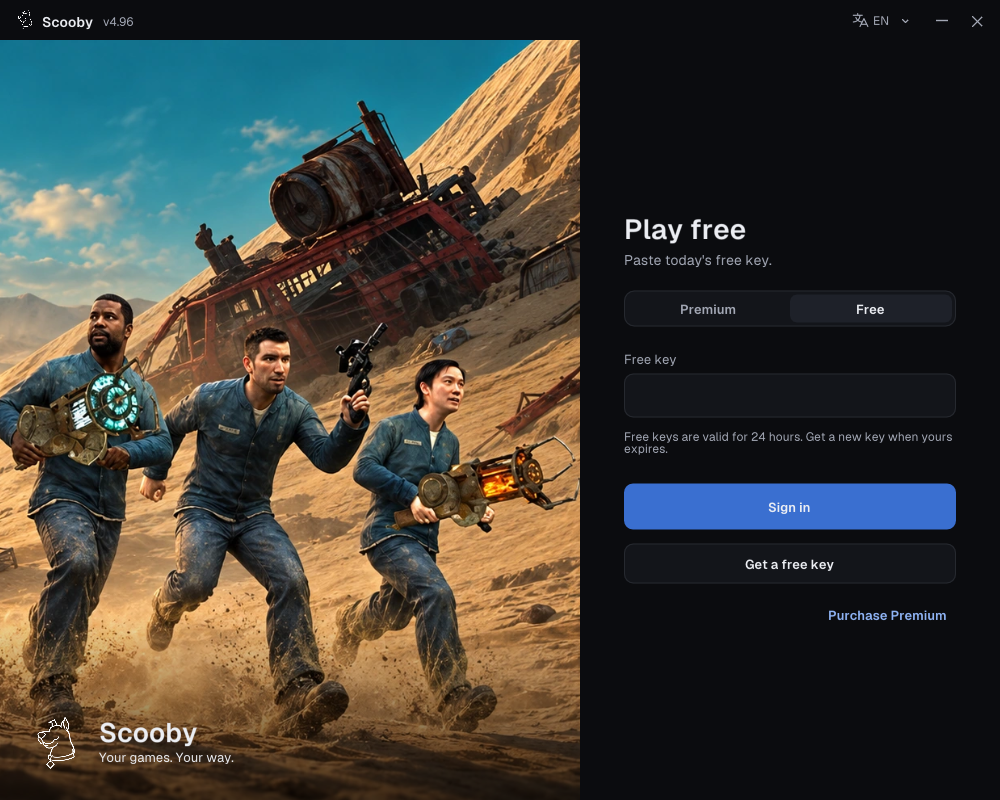
Free — paste a free key
- Complete the free-key access steps and copy your key.
- In the loader, choose Free and paste it into Free key.
- Choose Sign in.
Free keys work only in the loader’s Free login. They cannot sign in to the portal/dashboard or be redeemed there as a Premium license.
One free key supports all Scooby Free versions. Free keys reset every 24 hours, so you need to get a new free key every 24 hours. Complete the access steps again, copy the new key and use it in the loader’s Free tab. You do not need a separate key for each game.
 Enlarge screenshot ↗
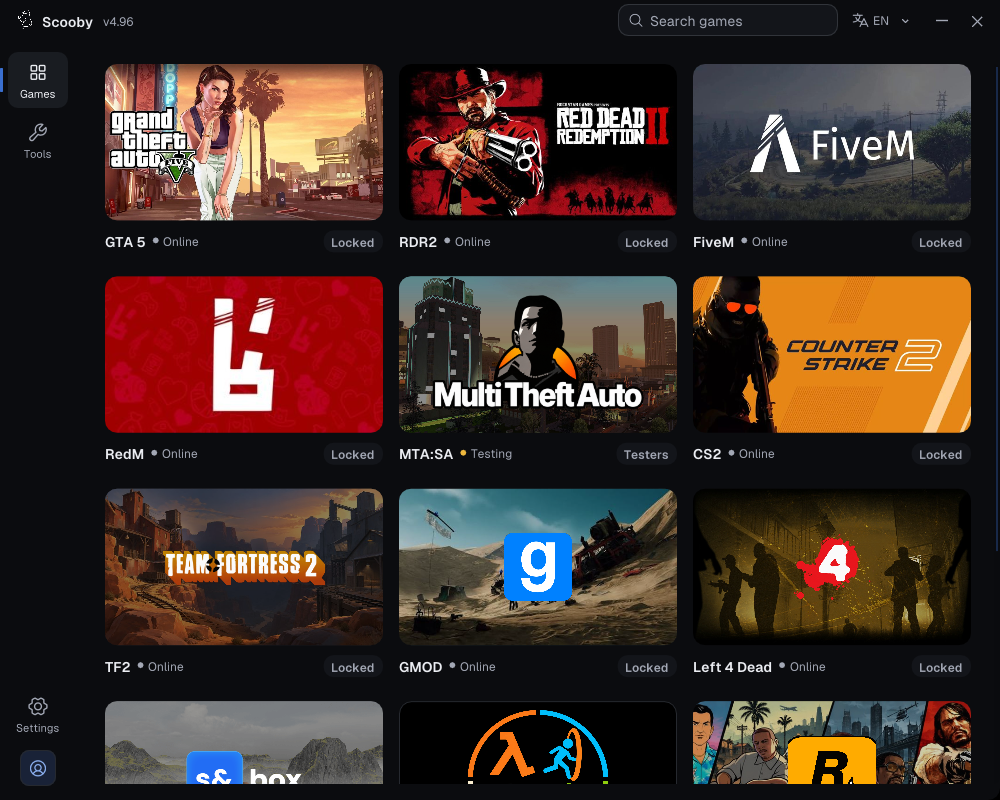
2. Choose your game
Open Games, then select Red Dead Redemption 2.
 Enlarge screenshot ↗
Check that the dashboard name matches your game before continuing.
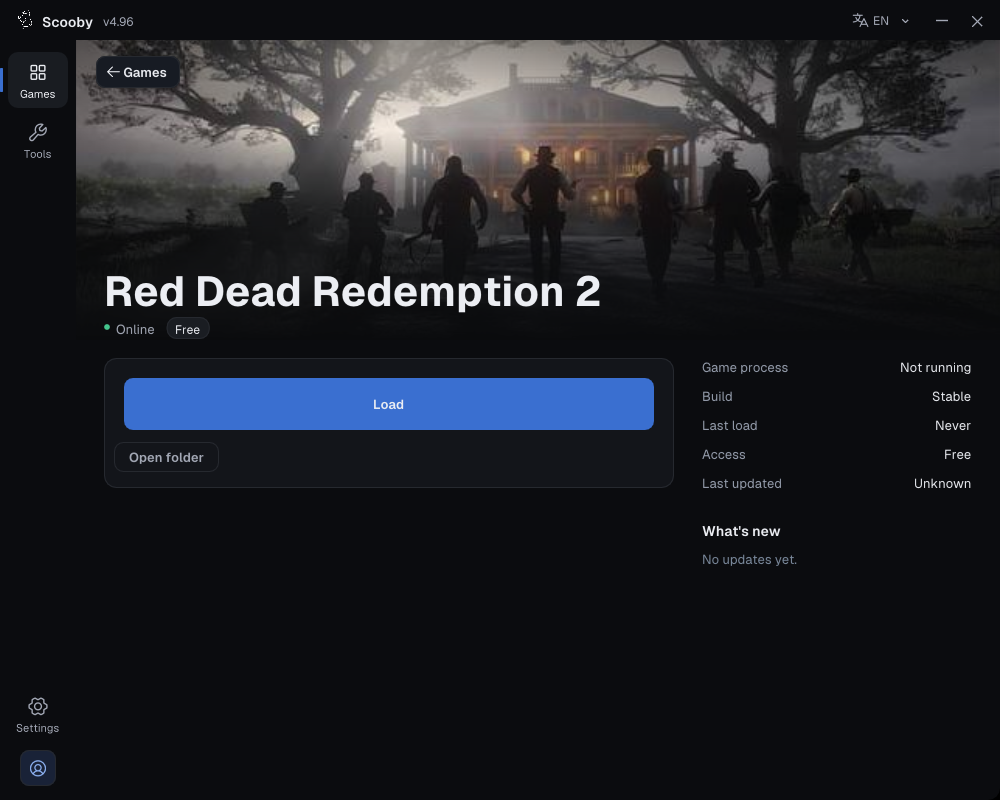
3. Check the edition, then Load
Follow the game-specific preparation steps above, check Edition if shown, and press Load once.
 Enlarge loader screenshot ↗
4. Wait for loading to finish
Keep the loader open while it prepares files and loads the module. A download percentage or “Preparing assets” message is still in progress; wait for the completion message.
5. Check completion, then return to the game
Completion messages vary by game. The labeled example below shows how a finished module load differs from a progress panel.
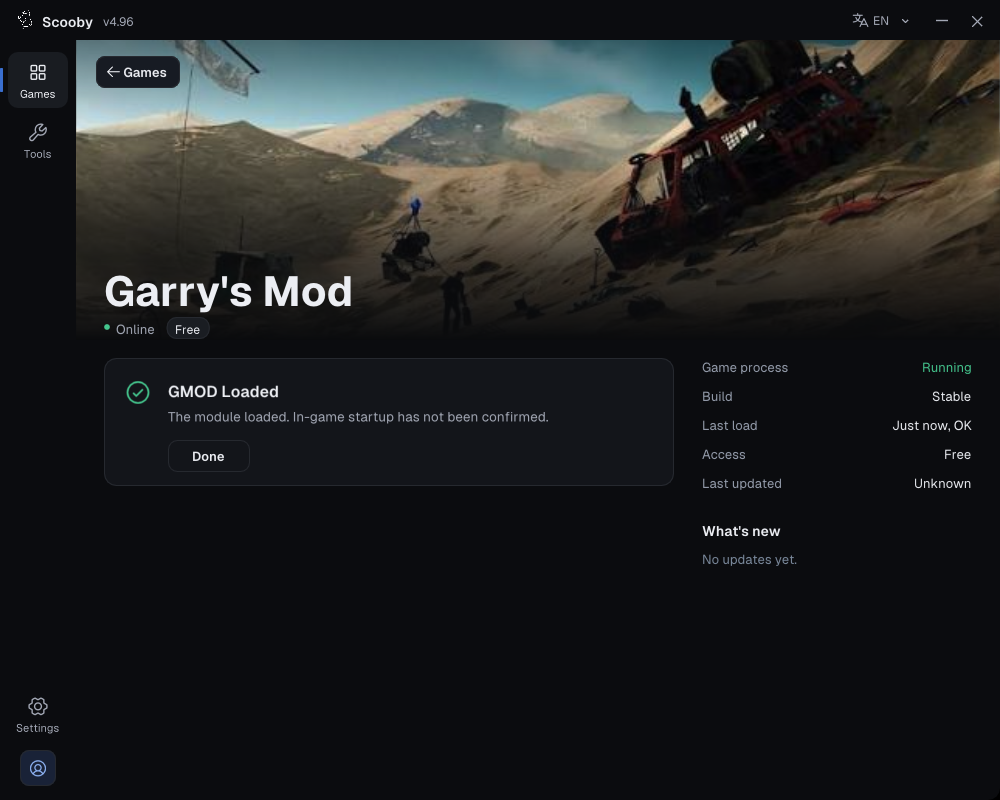 Enlarge screenshot ↗
If the menu does not open, check your configured menu key and the troubleshooting section for your game. Keep the exact error or status message.